|
Polar Express ( French version
|
 )
)
|
You can do pretty much what you like with your result: signatures, websets, paper Give Credits to Tchalange http://tchasdesigns.com PSP 4 ALL http://psp4all.com
I work with PSP 19
jjjj You can use a tube of your choice, free or not, but credit for it must be added to your tag. AI graphics by Tcha http://tchasdesigns.com
DO NOT USE COPYRIGHT SYMBOL
you can find my tubes in fotki they are free Public Home | Tchalange | Fotki.com, photo and video sharing made easy.
AI graphics by Tcha http://tchasdesigns.com
Scrapkit :aibytkdezigns / aibytkdezigns: Polar Express ai Kit Wordart : in material
Font: Pixelette
For members of PSP 4 ALL Please join your tag as attachment (with the same background for my results page), thanks !
*********** 1
Size 808x584 ouvrir Alfa_tch@25_polar.psd
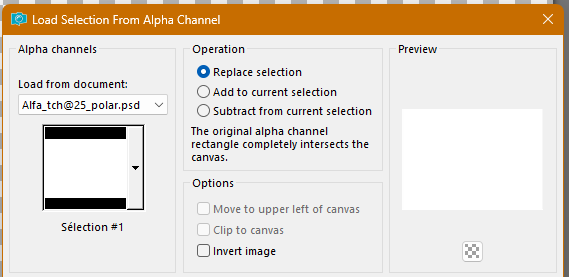
charger la sélection alpha sélection#1
2
fill with tk-PolarExpress-paper17
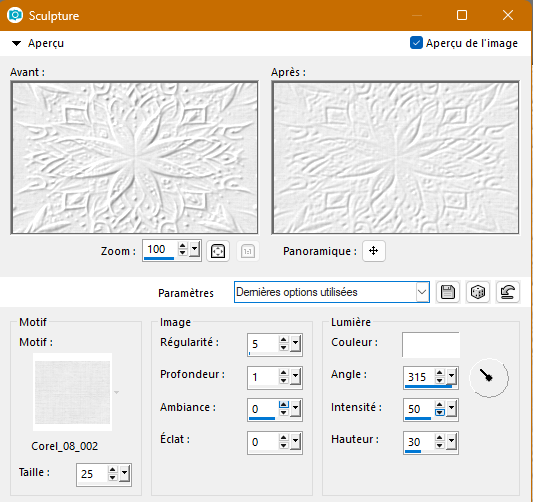
textures effects<<<<< sculptures
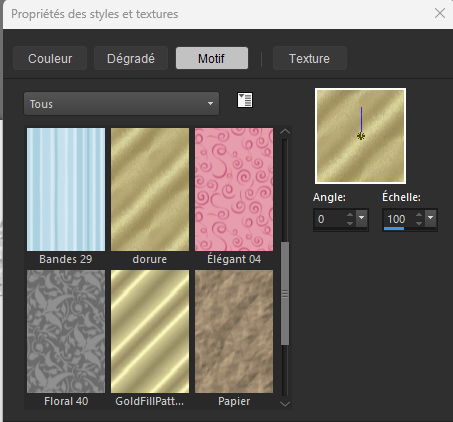
3 new layer load Alfa_tch@25_polar sélection#2 Install the patterns in the "pattern" folder of your PSPchoose dorure
selection contract of 6 fill with the pattern keep the selection fill the selectyion with the gradiant polar
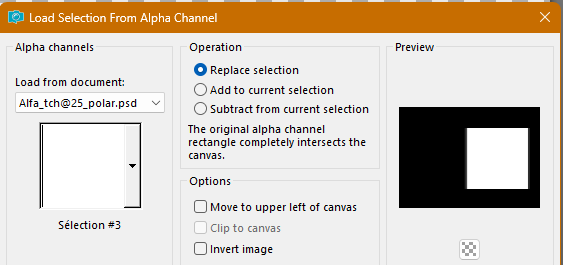
3 new layer load Alfa_tch@25_polar sélection#3
4 keep the selection
selection modify increase of 10 choose tk-PolarExpress-paper12
paste into selection
place the layer under the frame
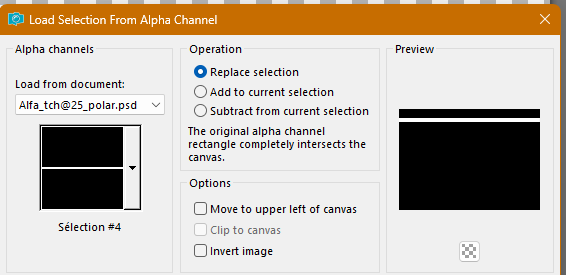
5 new layer load Alfa_tch@25_polar sélection#4
fill with a golden pattern
selection contract 2
open tk-PolarExpress-paper12 paste as a new layer, invert, supprim
merge down
duplicate mirror Vertical 8 open tk-PolarExpress-frame7, 3% paste in the left corner of the upper bar duplicate <<<< image mirror H duplicate<<<< image mirror V duplicate <<<< image mirro H
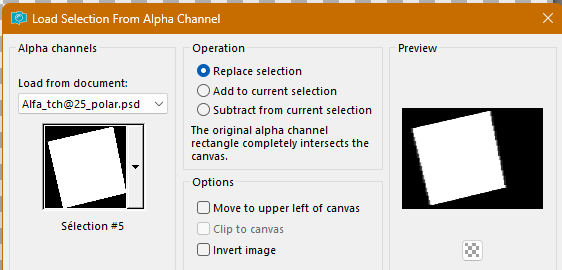
9 new layer load Alfa_tch@25_polar sélection#5
fill with a golden pattern selection contract 2 open tk-PolarExpress-paper17 paste into selection
textures effects<<<<< sculptures, same settings
10 Elements
tk-PolarExpress-wordart2, 33% free left rotate 16°, adjust place on the upper side
tk-PolarExpress-tag1, 13% hang in the letter A
Write "The bell still rings for those who" #001341, with a gradient glow #9d7733
or use my wordart in the material
tk-PolarExpress-wordart1, 22%
tk-PolarExpress-pine4, 20%
select all
open tk-PolarExpress-bell2, 10%
place as I did
tk-PolarExpress-bell2, 8% place in the right upper corner of the golden frame
tk-PolarExpress-train2, 30%, mirror place in the lower right corner of the square (starry night )
Place your tube(s)
11 borders
image add border 1 #1f3044
image add border 5 white
image add border 1 #1f3044
selct all image add border 25 white
selection invert paste the merged copy in the selection gaussian blur 25
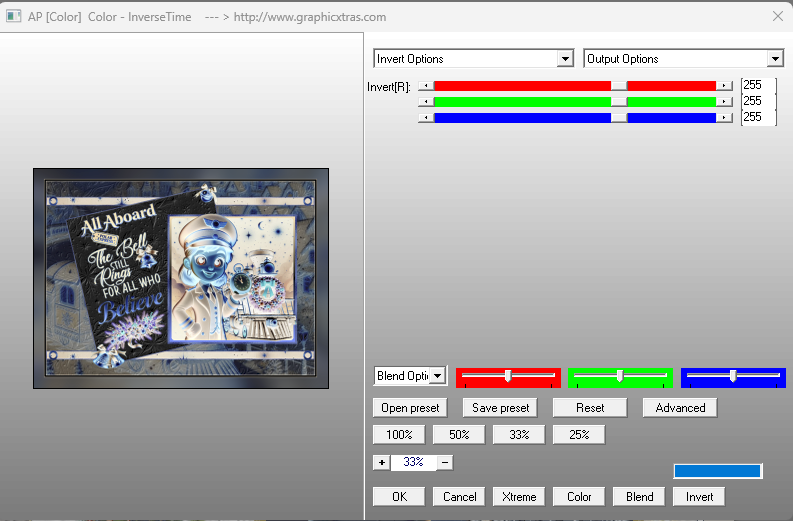
apply AP filter <<< AP[color]- inverse time
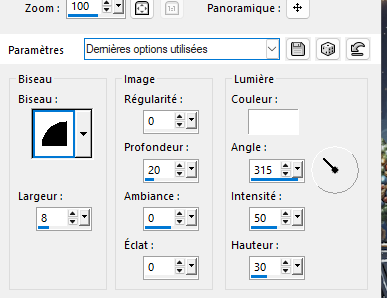
inner bevel
image add border 4 white with the magic wrand select the white and fill with golden pattern
To suit with your tube, you can add other elements if you want.
Add your credits on your tag with a small font such as pixelette in size 6 or 8, anti-aliasing disabled.
Save your tag in jpg or PNG, don't forget to use the optimizer.
|
 <<material