P
Translate this page:


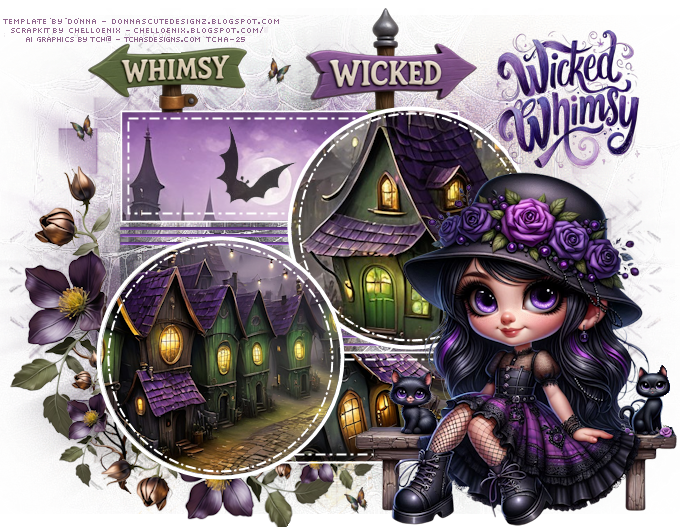
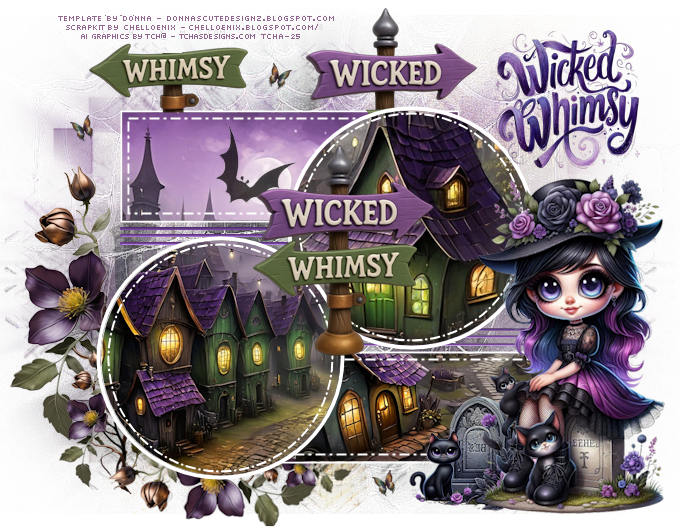
 Wicked Whimsy

( French version  )


You can do pretty much what you like with your result: signatures, websets, paper

Give Credits to Tchalange  http://tchasdesigns.com PSP 4 ALL http://psp4all.com


 I work with PSP 19


jjjj

Supplies


You can use a  tube of your choice, free or not, but credit for it must be added to your tag.


I used a tube

AI graphics by Tcha http://tchasdesigns.com


DO NOT USE COPYRIGHT SYMBOL


you can find my tubes in fotki

they are free

Public Home | Tchalange | Fotki.com, photo and video sharing made easy.


AI graphics by Tcha http://tchasdesigns.com


<<material


Scrapkit : Chelloenix : Wicked Whimsy Scrapkit Chelloenix
 

Wordart :  in material


Template :  Donna's Designz   :    Template Two Hundred One

                            Donna's Designz: Template Two Hundred One


Mask :  BITZY BEEZ DESIGNZ  : BBD_2013 MASK 221
                         http://babsbitzybeez.blogspot.com/


Font: Pixelette


For members of PSP 4 ALL

Please join your tag  as attachment (with the same background for my results page), thanks !


***********

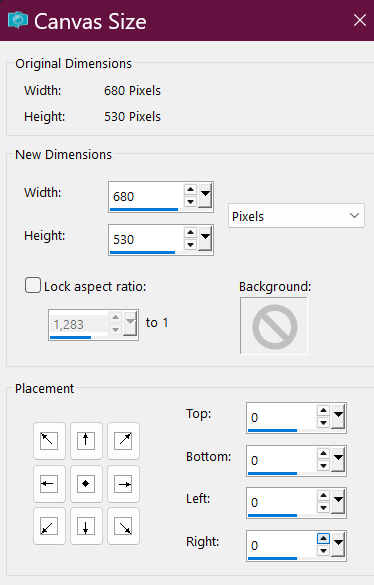
1 : background


680x530

Open the template

window <<<duplicate

supprim credits


background white


add a layer, select all

 open  Wickey Whimsy Paper 0003 Chelloenix

paste as a new layer

 place as you like

 selection invert, supprim


apply  BBD_2013 MASK 221, invert checked

merge the group

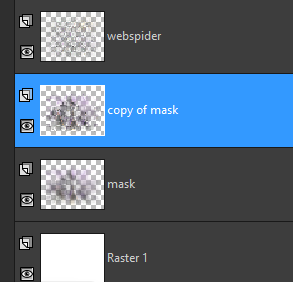
duplicate


on the original layer

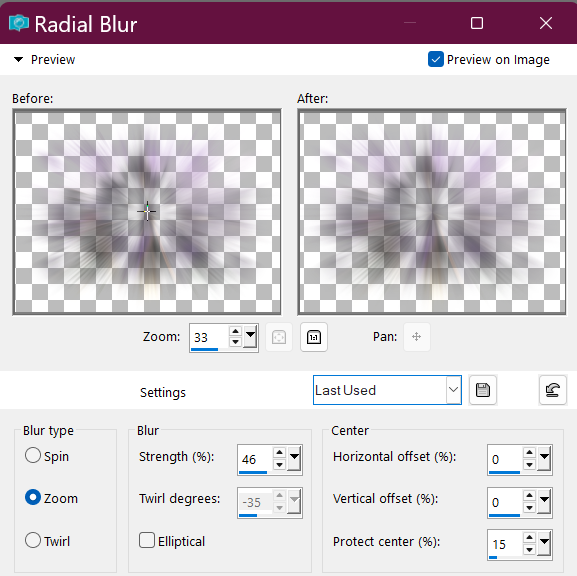
apply a radial blur


open spiderweb (in material)

place it on the copy of the mask


Template


1

open raster "copy of raster 2"


 with the magic wrand select the grey circle

delete the grey circle, keep selection

open  Wickey Whimsy Paper 0003 Chelloenix, 50% 

paste as a new layer

 place as you like or place the view on houses

selection invert, supprim


place the layer under  "copy raster 5"


2

open  raster "raster2"


 with the magic wrand select the grey circle

delete the grey circle, keep selection

open  Wickey Whimsy Paper 0004 Chelloenix, 80% 

paste as a new layer

 place as you like or  place the view on 1 house

selection invert, supprim


place the layer under  " raster 5"


3

open raster " raster3"


 with the magic wrand select the grey square

delete the greysquare, keep selection

open  Wickey Whimsy Paper 0003 Chelloenix, 80%, mirror 

paste as a new layer

 place as you like or  place the view on the moon in the sky

selection invert, supprim

place the layer under  " raster 4"


add bat.png (in material)


4

open raster "copy of raster3"


 with the magic wrand select the grey square

delete the greysquare, keep selection

open  Wickey Whimsy Paper 0004 Chelloenix, 80%

paste as a new layer

 place as you like

selection invert, supprim


place the layer under  " copy of raster 4"


add your tube(s) on the right side


open my wordart (in material) if you like it

 place on the upper right side


5

open   raster7 and copy of raster7

 colorize in #613884


apply an inner bevel


6

 Elements


Wicked Whimsy Element 0031 Chelloenix, 30%, mirror

place on the left side

the layer above the spiderweb

supprim the golden flower


duplicate, resize 50%


place under the 1st flower


merge the flowers


duplicate the merged layer

free rotation right 90°, mirror vertical

place under the circle


Wicked Whimsy Element 0140 Chelloenix, 22%

dissociate the 2 signs

place the green one on the left side above the tag

and the purple one on the right side


I added a butterfly


To suit with your tube, you can add other elements if you want.


Add your credits on your tag with a small font such as pixelette in size 6 or 8, anti-aliasing disabled.


Save your tag in jpg or PNG, don't forget to use the optimizer.