~*~ 1001 nights ~*~
(French version
here)

Pour traduire cette page :


You can do pretty much what you like with your result: signatures, websets, paper

Give Credits to Tchalange  http://tchasdesigns.com PSP 4 ALL http://psp4all.com


 I work with PSP 2018


You can use a  tube of your choice, free or not, but credit for it must be added to your tag.


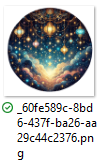
I used my AI tubes


DO NOT USE COPYRIGHT SYMBOL


you can find my tubes in fotki

they are free

Public Home | Tchalange | Fotki.com, photo and video sharing made easy.


Supplies


Scrapkit : Laura RE ART : Laura RE ART : One Thousand and One Nights

 It's a rar zip file 


Filters : Mura meisters <<< copies, Xero<<<clarity, Alien skin Xenofex2<<constellation, AP lines<<< silverlining


Wordart , deco, Alpha PSD, gold pattern, Narah Mask narah 0745 :  in material


Material

Police : Pixelette


For members of PSP 4 ALL

Please join your tag  as attachment (with the same background for my results page), thanks !


***********

 1  

 psd  (660x 460)


open Tcha26_alpha_1001nights.psd

new layer fill with white

new layer select all

paste (in selection) a  close up of your tube withour BG

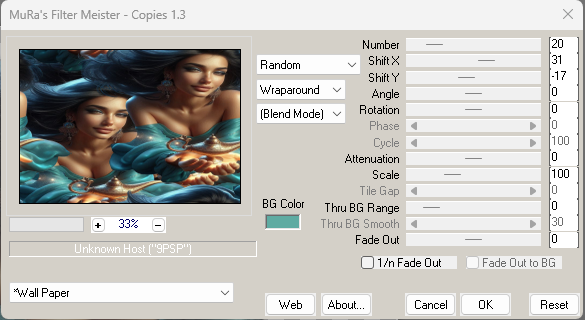
apply Mura meisters <<< copies


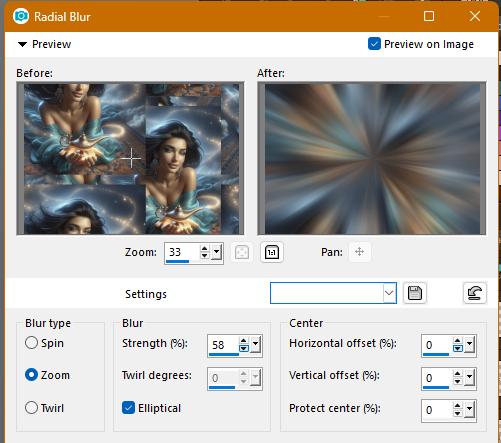
adjust<<< radial glow


apply narah-mask 0745

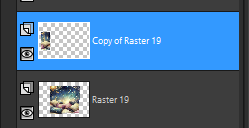
merge the  group


(duplicate this raster if you havent a tube wit a bg)

new layer

Paste a closeup of your tub with a background

opacity 44


 2 

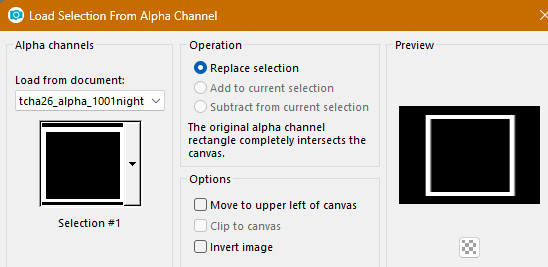
 alpha selection#1


3  

new layer

fill the selection with #07091b or a color of your choice

select none

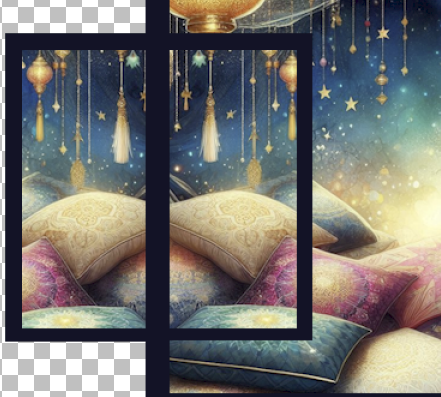
open paper _859d3a34-4629-427a-a2ab-2bba2a5b6202, 50%


 paste as a new layer

place the  pillows as I did

selection<<<invert<<< supprim


duplicate, mirror, close it


4


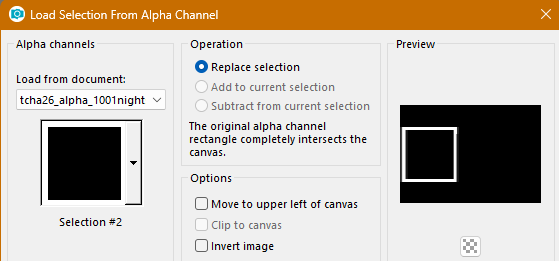
load alpha selection#2


new layer

fill the selection with #07091b or a color of your choice


select the frame

paste the copy of the paper


place the pillows as I did


5

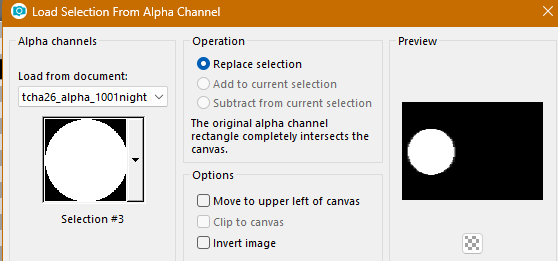
load alpha sélection#3


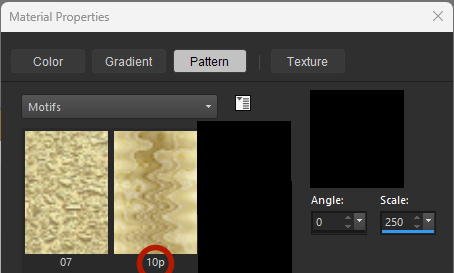
open the pattern 10p


new layer

fill with the golden pattern

selection<<modify<<<contract of 10

select none


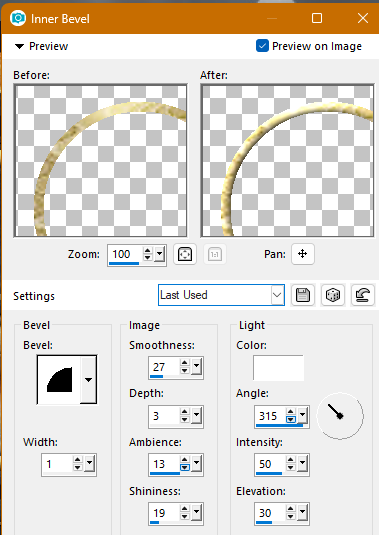
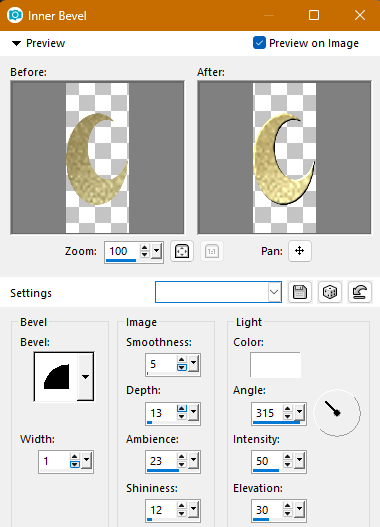
apply  an inner bevel


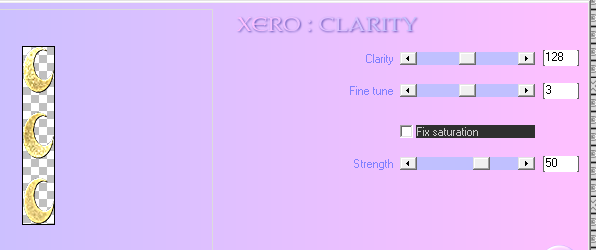
apply xero<<< clarity


open element of the kit

paste in the circle


6

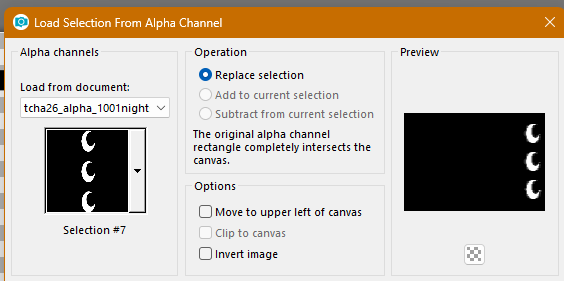
load selection alpha sélection#7


new layer

fill with the golden pattern


apply  an inner bevel


apply xero<<< clarity


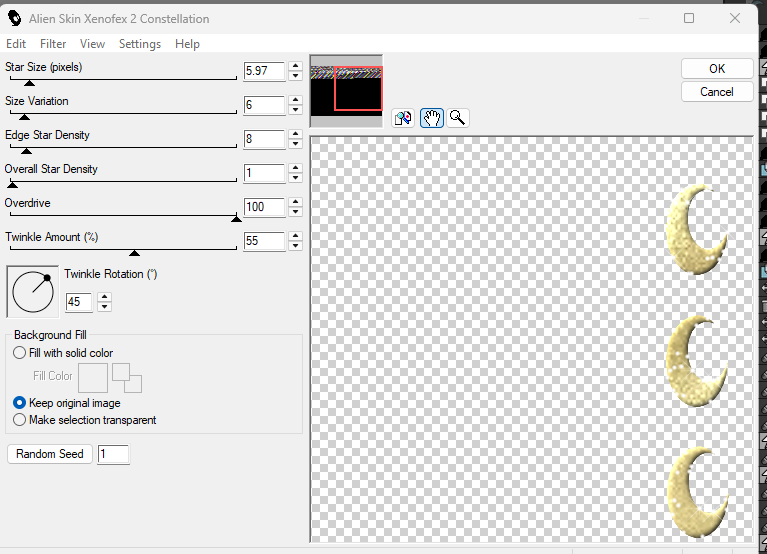
apply alien skin xenofex2 <<< constellation

settings small stars


7


 open deco bigframe  in material

place on the big frame


open deco littleframe in material

place on the small frame


open stars in material

place in the left corner of the big frame

 duplicate mirror H

duplicate image mirror V

duplicate  image mirror H


one more time, duplicate 1 star, 50%

place on the left corner of the small frame

 duplicate mirror H

duplicate image mirror V

duplicate  image mirror H


same settings for Xero<< clarity


8


open my wordart in material

place as I did , I keep the black color


open the element, 8%
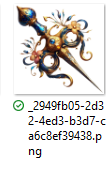
place here
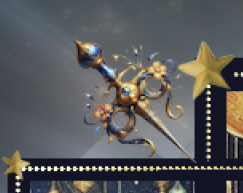
 

duplicate, mirror V


place your tube on the pillows


add drop shadow you like


9 Borders


 Edition > Copy Special > Copy merged

Windows<< duplicate


Add borders - Symmetric 2 -  white
Add borders - Symmetric 5 - Colour  #07091b

Add borders symmetric 2 white


 select all
Add borders - Symmetric 10 - white

 Invert
 Edition > paste into selection


Gaussian Blur - Radius 5

Apply APlines << line-silverlining<< diamond bill default


select none


Add borders - Symmetric 2 -white
select all
Add borders - Symmetric 30 - white
Invert

 Edition << paste into selection

 gaussian blur  - radius 20

Apply APlines << silverline<< diamond bill default

 select none
Add borders - Symmetric 2 - white


10

open decorcadreborders in  material
paste as a new layer


************************
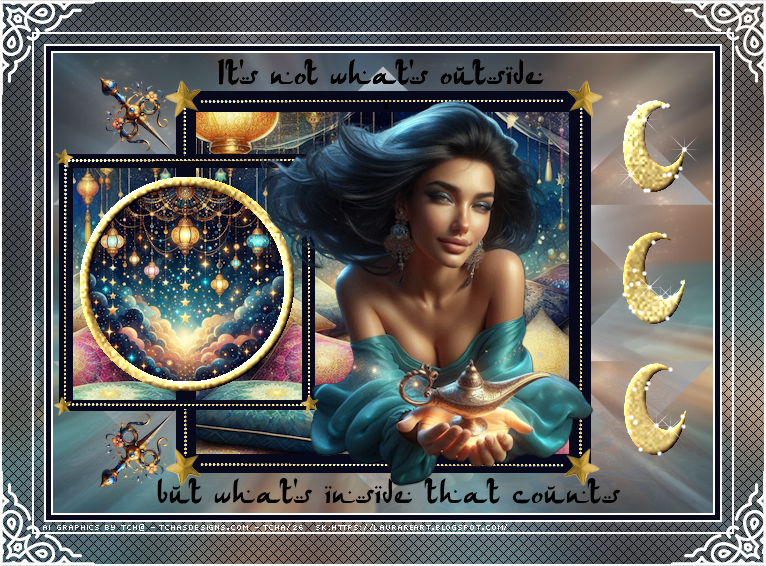


Add your credits on your tag with a small font such as pixelette in size 6 or 8, anti-aliasing disabled.


Save your tag in jpg or PNG, don't forget to use the optimizer.


http://tchasdesigns.com

Public Home | Tchalange | Fotki.com, photo and video sharing made easy.


Date
27/02/2026