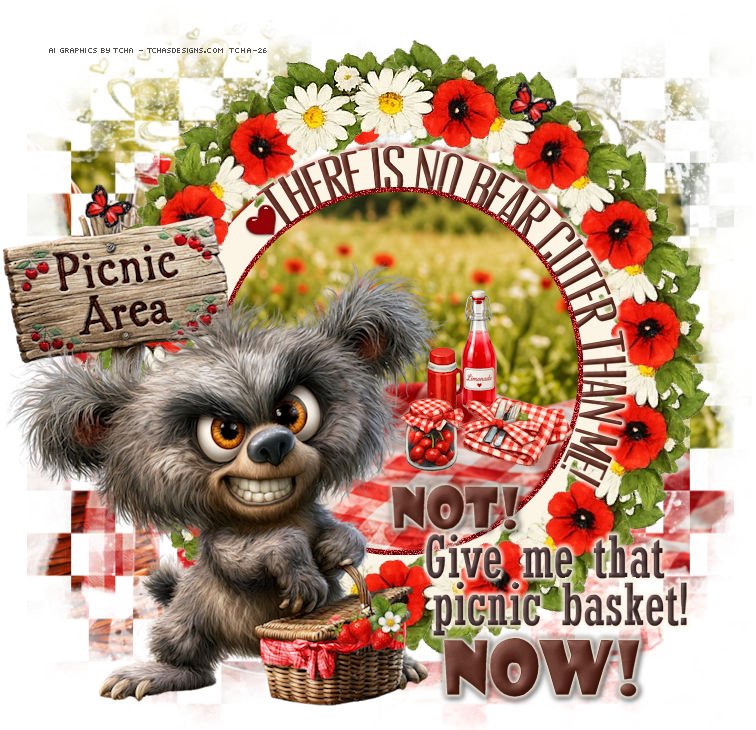
|
You can do pretty much what you like
with your result: signatures, websets, paper
Give Credits to Tchalange
http://tchasdesigns.com PSP 4 ALL
http://psp4all.com
I
work with PSP 2018
You can use a tube of your
choice, free or not, but credit for it must be added to your tag.
I used my AI tubes
DO NOT USE COPYRIGHT SYMBOL
you can find my tubes in
fotki
they are free
Public Home |
Tchalange | Fotki.com, photo and video sharing made easy.
Supplies
Mask:
PaintShop
Pro Masks & Digital Creative Assets | PSPMask.com theasylumpspmaskbyheidimanimal1083.jpg
theasylumpspmaskbyheidimanimal1083.jpg,
elementys, BG, bundles, wordart<<< in material
 Material Material
Template :
Millie's
PSP Madness :
TEMPLATE 884
Filters :
Eye
candy impact 5 <<< glass, gradiant glow, mura
meister<<<copies
Wordart :
Millie's PSP
Madnesss :
Wordart
Police
:
Pixelette
For
members of PSP 4 ALL
Please join your tag as attachment (with the same background
for my results page), thanks !
***********
1
*
Open the template
window <<<duplicate
<<< the template. resize to 80%,
check resize all layers.
In the template supprim the following layers :
credits et rasters 1 and 2
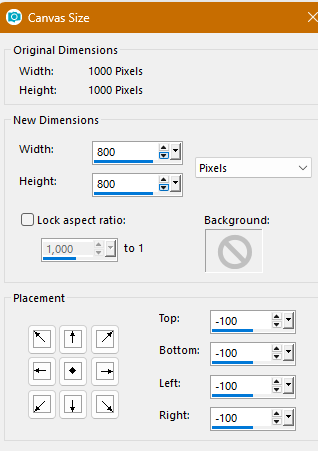
Click on canvas size
800x800
2 *
Mask
above the white background
add a layer
select all
open
tch@26_picnicBG1
paste into selection
apply mask
:
theasylumpspmaskbyheidimanimal1083.jpg
merge the group
3
* Template
1 open raster "black circle 7"
select all, float<<<
defloat
open<<<
tch@26_picnicBG1
copy, paste as a new layer
place as I did
selection, invert, suppr im
2 open raster "border 8"
select all, float<<<
defloat
new layer
Fill with
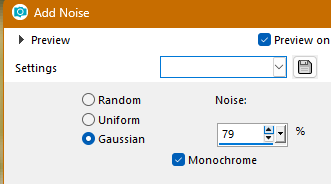
#930408
add noise
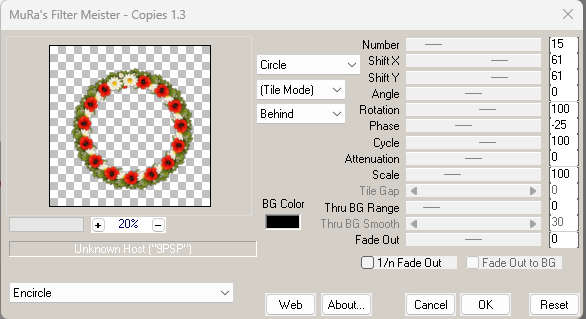
3 open "Grey circle 3"
open
tch@26-AICreations_picnic_popp
apply muraMeister <<< copies
open the grey circle
select all, float<<<
defloat
new layer
Fill with
#fcf4e4
Eye Candy, gradient glow
#930408,
fat, 5
4 open raster "text 4"
I keep only 1 text
select all, float<<<
defloat
new layer
fill with
#411207
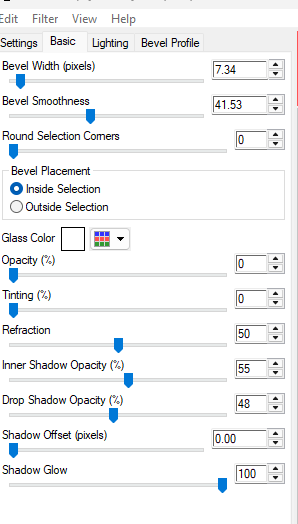
apply an inner bevel as you like
Eye Candy, gradient glow #fcf4e4
,
fat, 5
5
open raster "Hearts 5&6 5"
select all, float<<<
defloat
new layer
fill with
#930408
apply eye candy<<< glass
4 * Elements + tube
all the elements are in the material
one by one or in bundle
tch@26-AICreations_picnic_butterfly1,
35%
free rotation right, 24.96%
duplicate and place on the tag where you like
tch@26-AICreations_picnic2
place on the right side of the table cloth
tch@26-AICreations_picnic_jar2
place on the left side of the cutlery
tch@26-AICreations_picnic_limonade2
place behind the cutlery, left side
you can add what you want from my bundles
I added a gourd
place your tube on the left side of the tag
5*wordart

in the material
place on the lower side of the tag
select all, float<<<
defloat
new layer
fill with
#411207
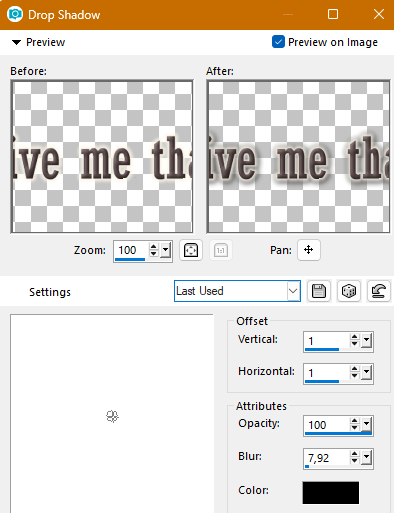
apply an inner bevel as you like
Eye Candy, gradient glow #fcf4e4
,
fat, 5
************************
Add your credits on your tag with a small font such as
pixelette in size 6 or 8, anti-aliasing disabled.
Save
your tag in jpg or PNG, don't forget to use the optimizer.
|