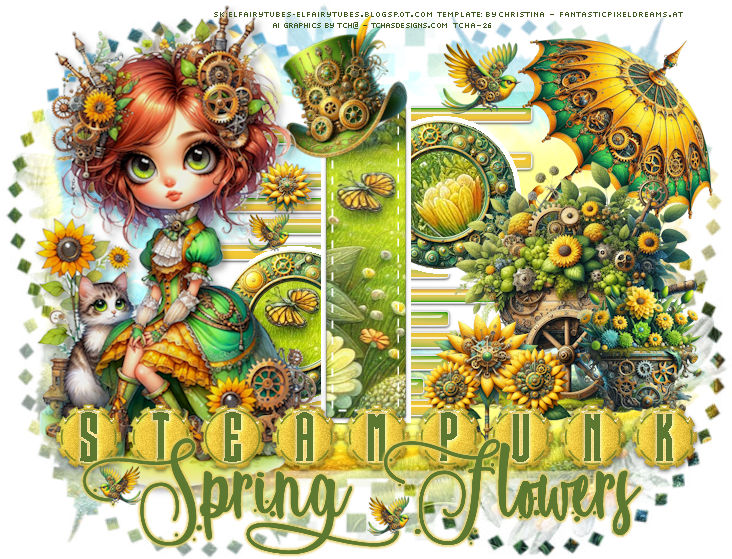
|
You can do pretty much what you like
with your result: signatures, websets, paper
Give Credits to Tchalange
http://tchasdesigns.com PSP 4 ALL
http://psp4all.com
I
work with PSP 2018
You can use a tube of your
choice, free or not, but credit for it must be added to your tag.
I used my AI tubes
DO NOT USE COPYRIGHT SYMBOL
you can find my tubes in
fotki
they are free
Public Home |
Tchalange | Fotki.com, photo and video sharing made easy.
Supplies
SK:
Steampunks Flowers
Elfairy Tubes: Steampunk Scrapkits
Elfairy Tubes
zuzzanna_mask15, wordart, gradient <<< in material
 Material Material
Template : PSP
Design - Scraps,Tags and AI Tubes
:
template
19
Filtre : Eye
candy impact 5 <<< glass
Police
:
Pixelette
For
members of PSP 4 ALL
Please join your tag as attachment (with the same background
for my results page), thanks !
***********
1
*
Open the template
window <<<duplicate
add a layer,
fill with white
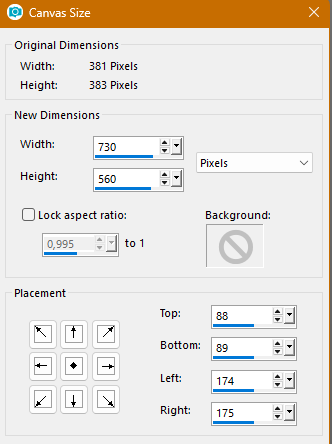
2 *
Mask
open paper_EF (14)
paste as a new image
apply mask
Suzanna_mask15,
invert checked merge the group
copy
back on the tag
add a layer above the white layer
select all
paste in the selection
3
* Template
1 open raster "Temp01"
with the magic wrand select
the grey squares,
one by one
open the gradient Tcha
fill the squares with it, alternating invert checked/ invert no
checked
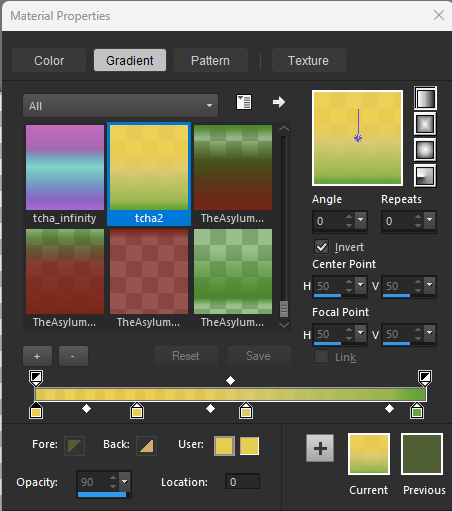
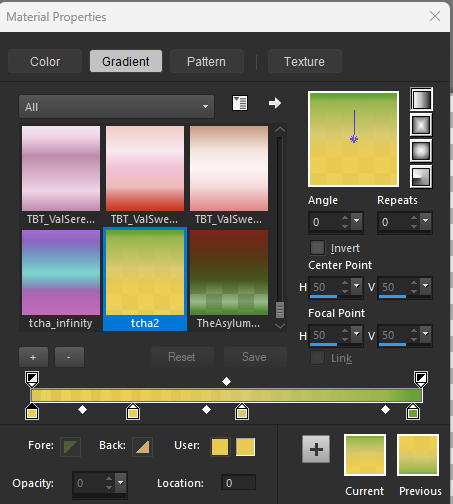
select all, float<<<
defloat
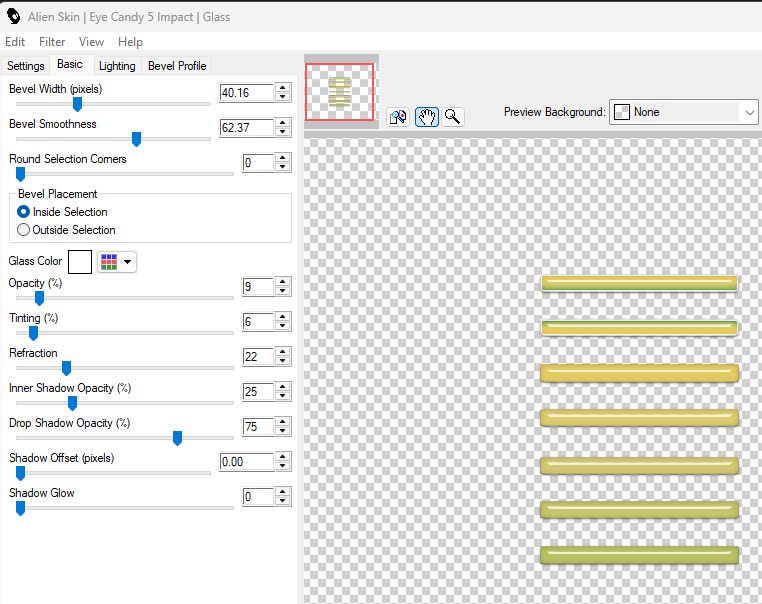
apply eye candy impact <<< glass
with these settings or use an old preset
2 open raster "Temp02"
do the same
3 open "Temp03"
open element_EF (64), 23%
place on the grey circle
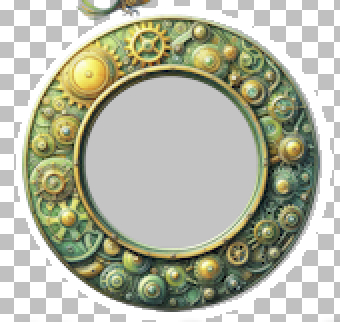
supprim the raster cluster03
with the magic wrand select
the grey circle
open
paper_EF (1)
copy, paste as a new layer
place as you like
invert, supprim
select none
4 open raster "Temp04"
supprim the raster cluster04
with the magic wrand select
the grey circle
choose the paper
paper_EF (9)
copy, paste as a new layer
place as you like
invert, supprim
select none
5
open raster "Temp05"
with the magic wrand select
the grey square
choose the
paper_EF (1)
copy, paste as a new layer
place as you like
invert, supprim
select none
4 * Elements + tube
element_EF (19), 40%
place on the right side of the squares
element_EF (38), 32%, mirror H
place above the flowers cart
element_EF (3), 20%
place in front of the cart (right)
element_EF (40), 21%
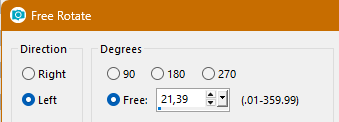
place at the top of the square
the flowers
element_EF (32 et 10), 20%, 14%
duplicate, place as a bunch, on the left side of the wheel
element_EF (48), 14%
place on the tag
duplicate, mirror, resize smaller for the wordart
place your tube on the left side of the tag
5*wordart
I use the wordart of the kit with my flowers
in the material
place on the lower side of the tag
add two birds
************************
Add your credits on your tag with a small font such as
pixelette in size 6 or 8, anti-aliasing disabled.
Save
your tag in jpg or PNG, don't forget to use the optimizer.
|