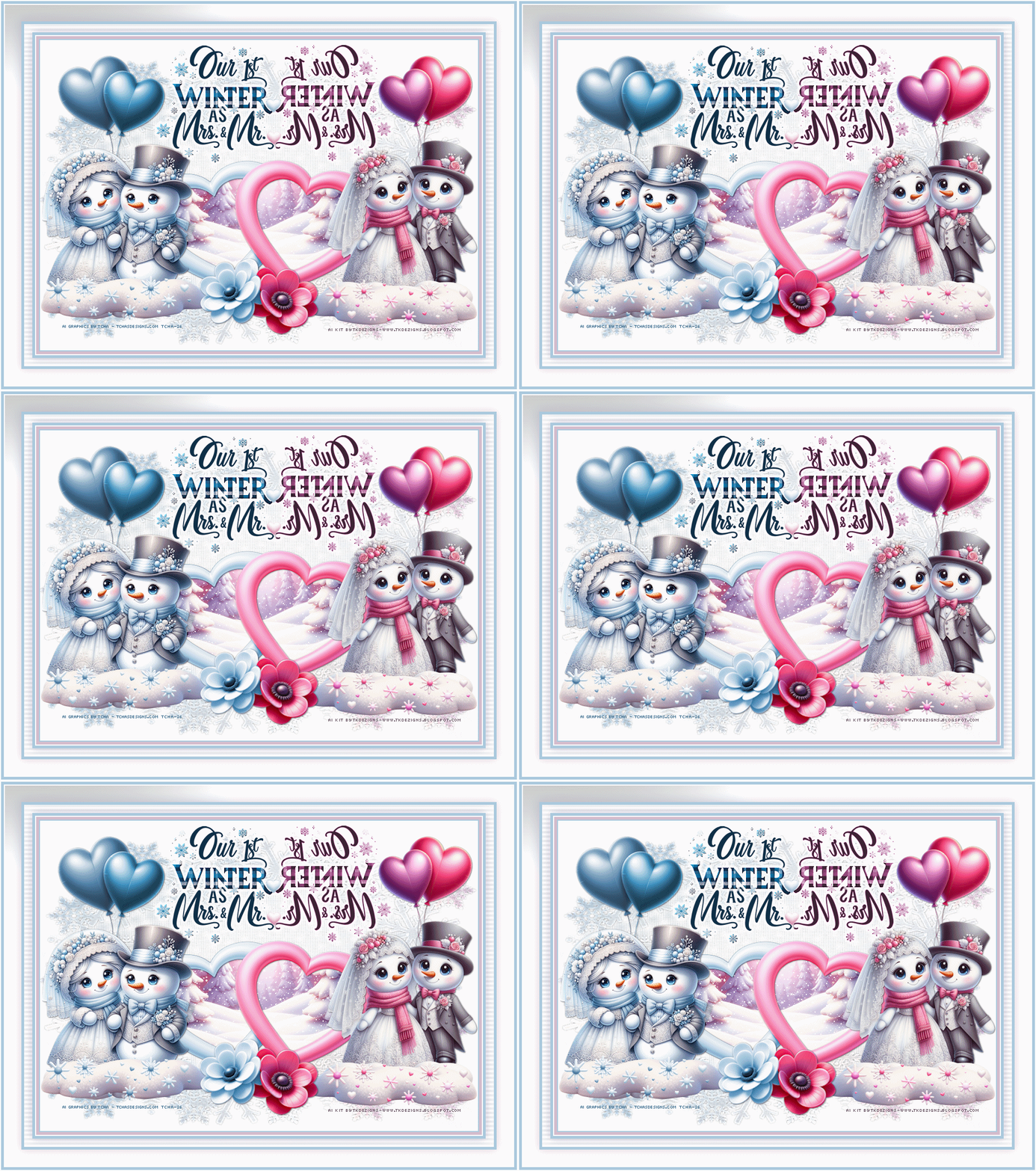
open tk-FrostedHearts-paper4
paste as a new layer
selection invert, delete
2
open mask BBD_2014_MASK_263
apply the mak , check invert
duplicate, merge
sharpeness<<
sharpen
3
tk-FrostedHearts-frame6 (frame), 40%
center in canvas
magic wrand, click in the frame (+shift key)
sélection, modify, increase of20
open
tk-FrostedHearts-paper28, 35%
paste as a new layer
selection invert, delete
4
Elements
tk-FrostedHearts-flower1, 23 %, mirror
place on the lower side of the hearts frame
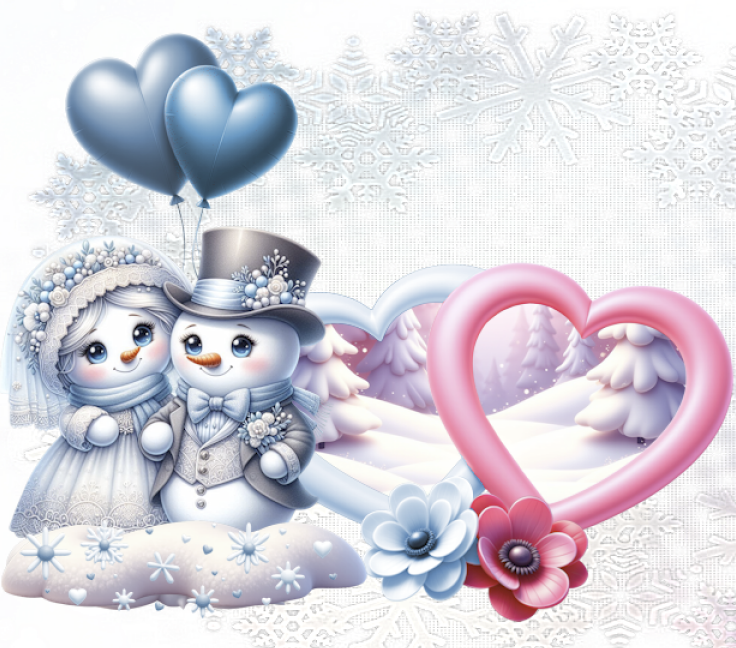
Add the tubes : a blue one on the left side and a pink one on
the right side
my snowmen,
28%
in material you find a file with my AI snowmen
tk-FrostedHearts-snowplies2, 30%
place on the left side under the blue snowmen
duplicate, mirror
tk-FrostedHearts-sprinkle1, 30 %
place on the left side on the snow
duplicate, mirror
tk-FrostedHearts-balloons1, 28 %
place on the left side behind the blue snowmen
duplicate, mirror
I colorized
in blue
all the left elements
-1 flower
-the left heart
- 1 ballooon
- 1 sprinkle1
with freehand selection select the left flower
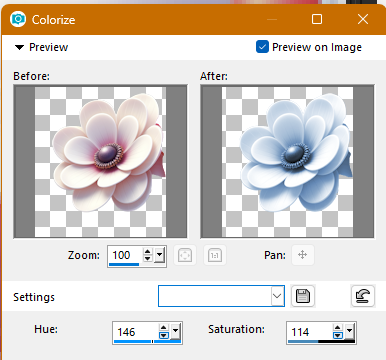
for the balloon same settings except saturation to 88
Blue elements :
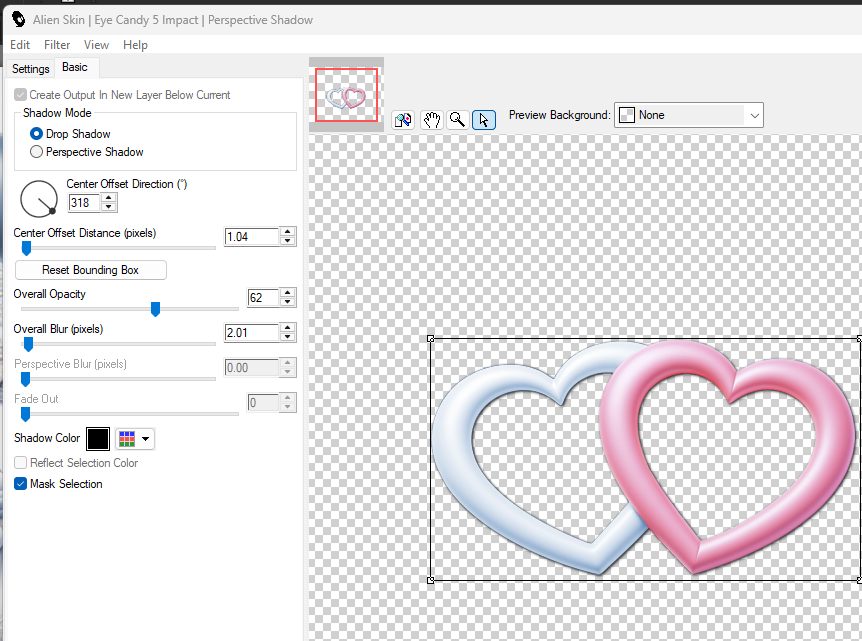
Drop shadow (I used Eye candy impact perspective shadow)
wordart yours or mine, mine is in material
Place upper side of the tag, duplicate
colorize in pink
mirror if you like
Paste two hearts on the 2 wordarts (deco in material)
To suit with your tube, you can a
dd
other elements if you want.
Animation
if you want
1)
verify if you have written the credits
!)
Window <<< duplicate, close the original and work on the copy
2) On the copy, close all the layers except 3: mask,
the snow ladscapes of the frame and the white background
!)3) Add borders
at this step if you want borders
- with Martine's script
- or Image<<< add borders
Borders
#83a8c6 blue, #f2dce5 pink
image add borders 2
blue
image add borders
5
whie
image
add borders
2
pink
image
add borders
25
white, sélect
fill with a linear gradiant blue/pink angle 0, repetition
2
image
add borders
2
blue
3) Save
4) copy merged, open in Animation Shop
in AS,
select, duplicate <<< 10 layers, select all
5) Open the file snow.psd, select all, copy
6)
back on your tag,
paste,
beware to be on the first frame
7) back to PSP
8) on the original tag, close the 3 layers, open the others,
copy merged
9) Paste in AS,
duplicate <<< 10 layers, select all
10)
back to the animation, paste,
beware to be on the first frame
Save as (gif)